
Data Analysis ToolPak for Sheets
The Analysis ToolPak, in Google Sheets. Same tools, same output layout as Excel.
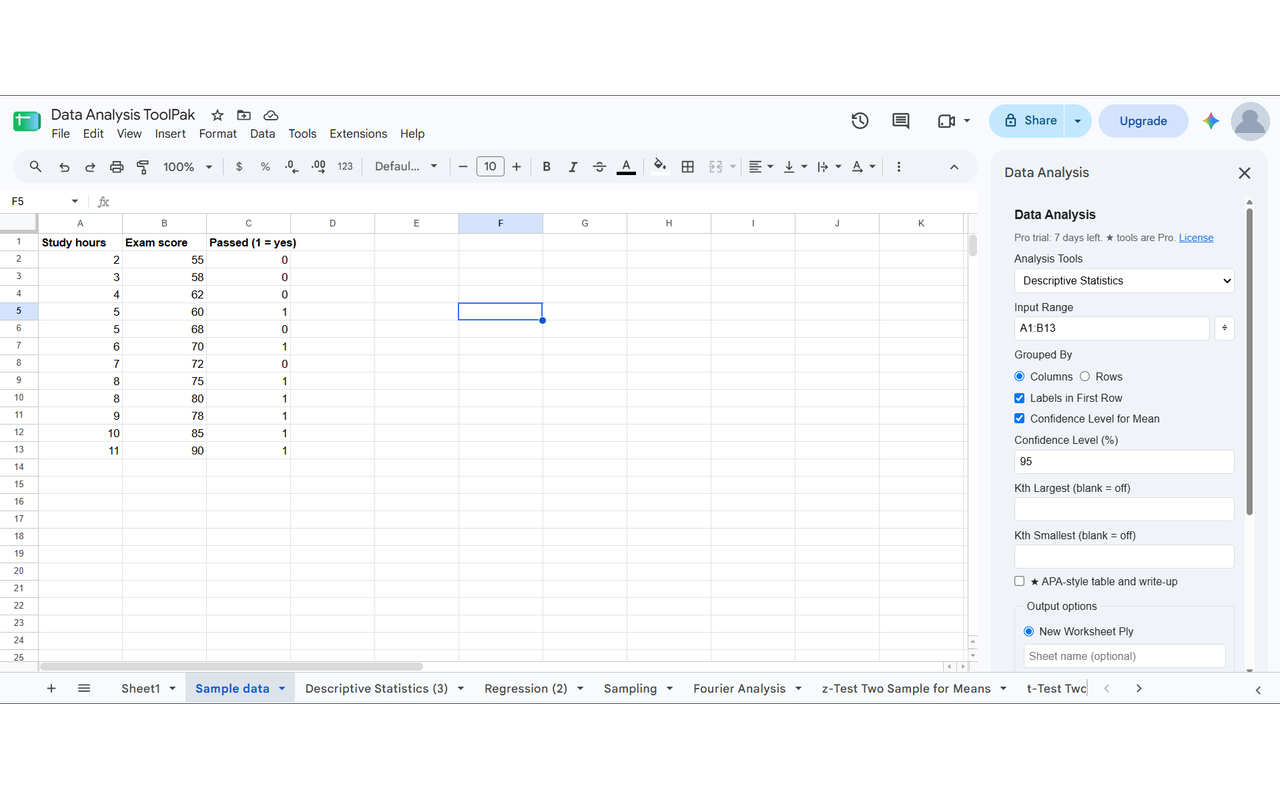
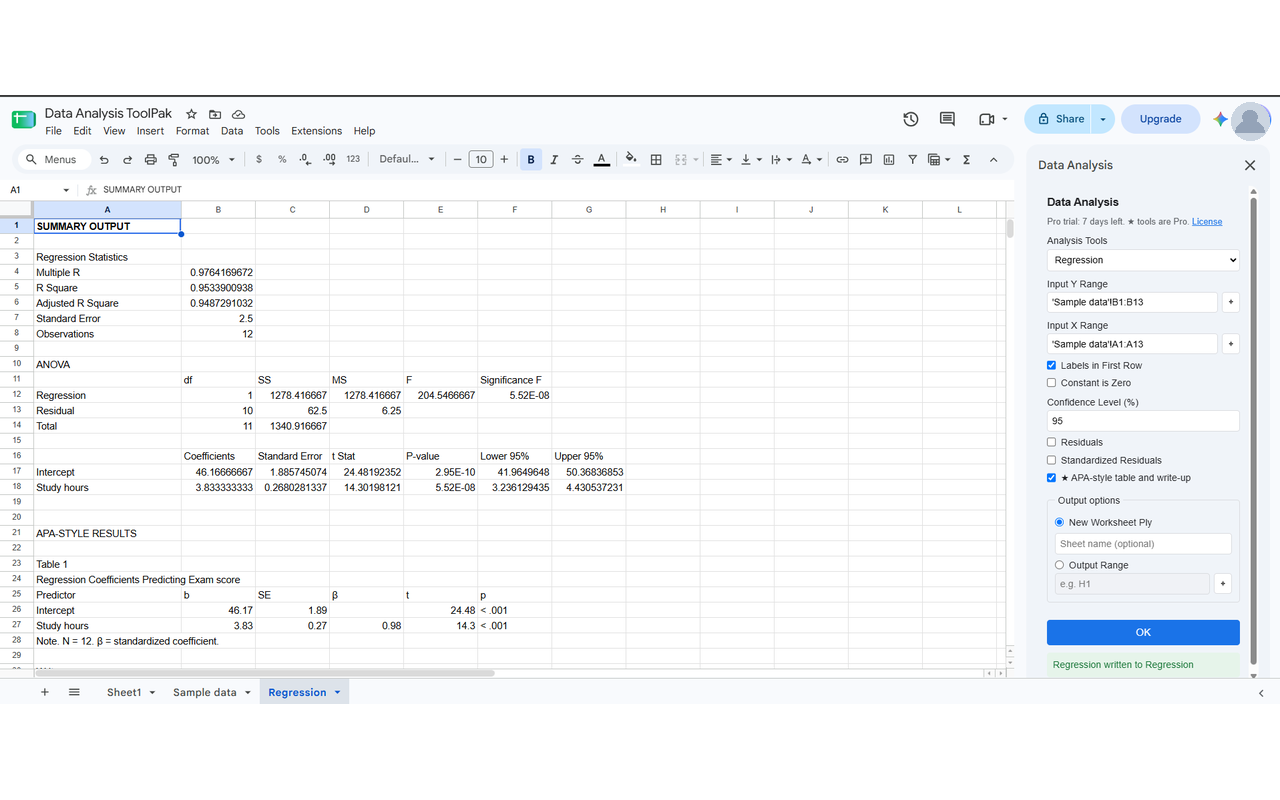
If your textbook, course or old workbook says Data → Data Analysis…, this add-on is that menu for Google Sheets. Pick a tool, choose your input range, and the results land in a new sheet or a range you choose, laid out the way the Excel Analysis ToolPak lays them out. It replaces the discontinued XLMiner Analysis ToolPak.
The tools
- Anova: Single Factor
- Anova: Two-Factor With Replication
- Anova: Two-Factor Without Replication
- Correlation
- Covariance
- Descriptive Statistics
- Exponential Smoothing
- F-Test Two-Sample for Variances
- Fourier Analysis
- Histogram
- Moving Average
- Random Number Generation
- Rank and Percentile
- Regression
- Sampling
- t-Test: Paired Two Sample for Means
- t-Test: Two-Sample Assuming Equal Variances
- t-Test: Two-Sample Assuming Unequal Variances
- z-Test: Two Sample for Means
Every result is checked against SciPy and statsmodels.
How to start
- Install the add-on from the Google Workspace Marketplace.
- Open any spreadsheet, then go to Extensions → Data Analysis ToolPak for Sheets → Open.
- Choose a tool, select your data, and press Run. New to it? Click Try with sample data.
Free and Pro
Free, forever: all 19 classic tools above.
Pro: Logistic Regression and APA-style tables and write-ups. 7-day free trial, then $4.99/month, $19/year or $39 once.
Your data
The add-on only reads the cells you select, in the spreadsheet you are working in. All math runs inside Google Sheets. Nothing is uploaded or sent anywhere. Details are in the privacy policy.